
Mobile App or Responsive Web? A Simple Decision Tree for Your Product

Before asking "native or hybrid", there's an earlier question many clients skip: do you actually need a mobile app, or would a responsive website solve the problem with much less cost and complexity?
There's no single right answer for every case. But there is a simple path to get there.

Mobile app is an application installed on the phone, downloaded through the App Store or Google Play. It sits as an icon on the home screen, can send push notifications, keep working without internet, and access phone features directly, like the camera or GPS.
The Rotas Culturais app, built for the Alentejo Tourism Board, was developed as a mobile app for exactly this reason: we wanted users to be able to access content even without network access, receive push notifications when approaching a point of interest, and keep playing audio guides even with the app closed.
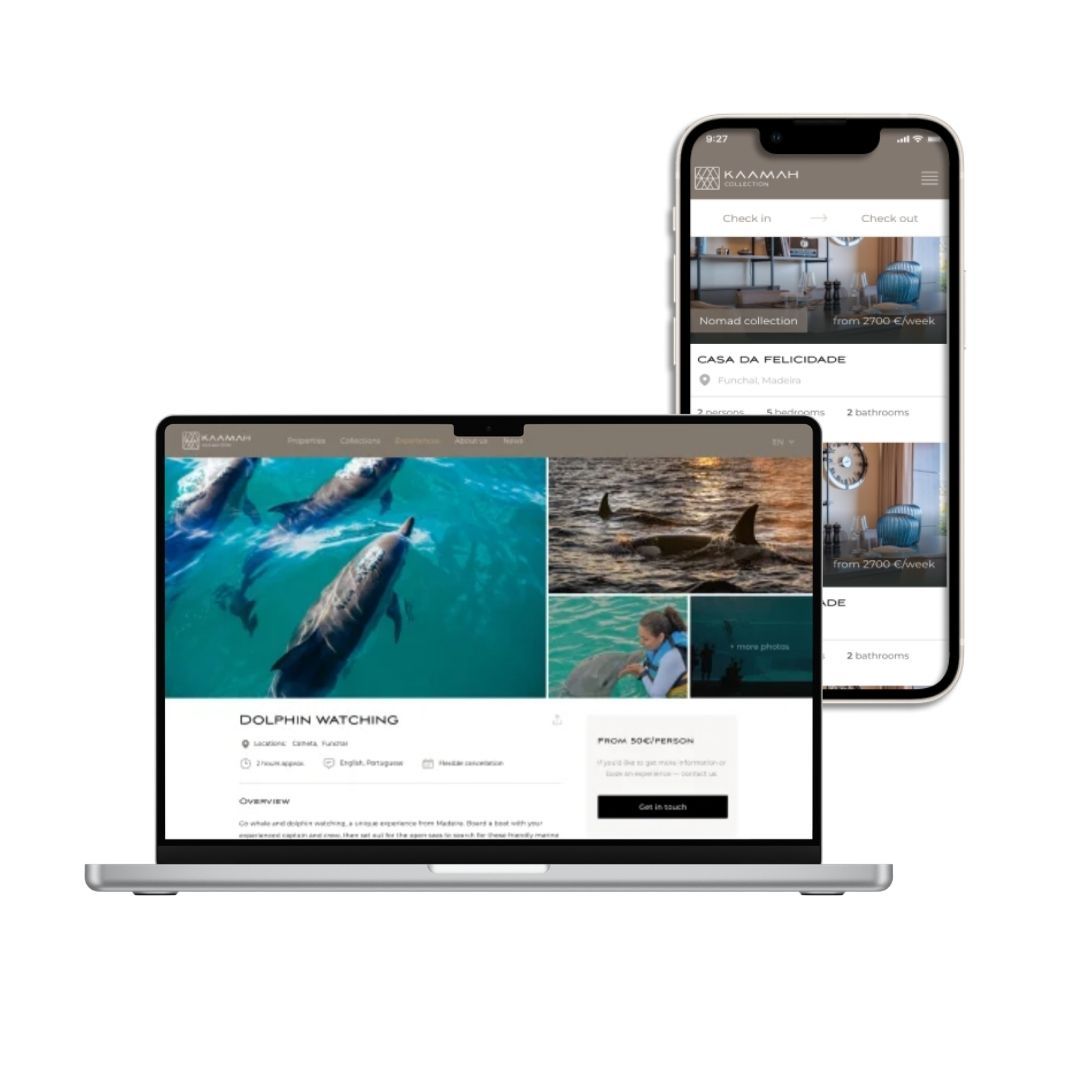
Responsive web is a regular website, accessed through the browser (Chrome, Safari, etc.), but designed to automatically adapt to any screen size, whether phone, tablet or desktop. It needs no installation, takes up no space on the phone, and is always up to date without the user having to do anything.
In the Kaamah project, which aimed to let tourists browse local accommodation on the island of Madeira and access detailed information about local experiences and products, there was no identified need for a mobile app. A responsive project was enough.
The most practical difference, day to day: a mobile app asks the user for one extra step (installing), but in exchange offers an experience more deeply integrated with the phone. A responsive website removes that step, but gives up some capabilities that only the phone, with an installed app, can offer.
Before anything else, it's worth understanding the real context of use. Someone buying sneakers on their phone while waiting for the bus has very different needs from a procurement manager reviewing supplier proposals on an office computer.
B2B (businesses using the product at work): move to question 2, but with a strong lean toward responsive web.
B2C (people using the product in everyday life): move to question 2, with a strong lean toward mobile app.
This distinction alone already settles most cases. In a B2B context, the user is usually sitting at a computer, during work hours, doing tasks that require larger screens and several windows open at once. In a B2C context, the user is on their phone, at any time of day, often on the move.
Sim, de forma central ao produto (alertas urgentes, lembretes recorrentes, atualizações em tempo real que o utilizador precisa de ver mesmo sem abrir o browser): app móvel ganha vantagem clara.
Não, ou email/SMS já resolve: web responsive continua viável.
Notificações push são, talvez, o argumento mais forte a favor de uma app nativa ou híbrida. Uma web responsive pode simular isto com notificações do browser, mas a taxa de adesão e fiabilidade não se compara a uma app instalada.
Yes, the user will frequently be without a connection (rural areas, fieldwork, travel): a mobile app is practically mandatory.
No, the user is always online when using the product: responsive web handles this without issue.
Offline functionality is technically possible in a web app, but in a limited and more fragile way. If the product depends on continuing to work without internet, such as recording data in the field or accessing already-downloaded content, a mobile app is the safer path.
Several times a day, almost automatically (social media, messaging, daily habits): mobile app, because an icon on the home screen reduces the friction of opening the product.
Occasionally, for specific tasks (submitting a request, checking a document, making a one-off purchase): responsive web is enough, and avoids asking the user to install yet another app.
Yes (camera to scan documents, GPS for real-time location, sensors): mobile app.
No: responsive web.
Some of this access is already possible in the browser (camera and location, for example), but with more friction and less reliability across different phones.
Not every case falls clearly on one side or the other. A B2B product with users out in the field (sales teams visiting clients, technicians doing fieldwork) can justify a mobile app even while being B2B. A B2C product used only once a year (like filing a tax return) can work perfectly well as responsive web, despite being B2C.
In these cases, the final question is always the same: does the friction of asking the user to install an app pay off against the gain in notifications, offline access or hardware access? If the answer is clearly yes, go with a mobile app. If it's "maybe", it's usually worth starting with responsive web and validating demand before investing in app development.
Starting with a responsive website and evolving into a mobile app later, once the data confirms it makes sense, is usually the smarter path, not the more limited one. It lets you validate real demand, understand how people actually use the product, and invest in a mobile app already knowing it's worth it. The opposite path, building an expensive app upfront and only later discovering users preferred to access it through the browser, is much harder and more expensive to fix.
If you're still not sure which side of this tree your product falls on, it's worth talking before deciding.